A practical recovery and purchasing guide for maintenance teams supporting legacy PanelView Standard 550 installations.
When a 2711-K5A10 stops displaying process information or loses DeviceNet communication, the fastest response is not necessarily to order the first PanelView 550 found online. The failure may be caused by incoming power, network wiring, a DeviceNet configuration mismatch, the controller state, or the terminal itself. A disciplined recovery plan separates these possibilities before money is committed and preserves the information needed to return the machine to service.
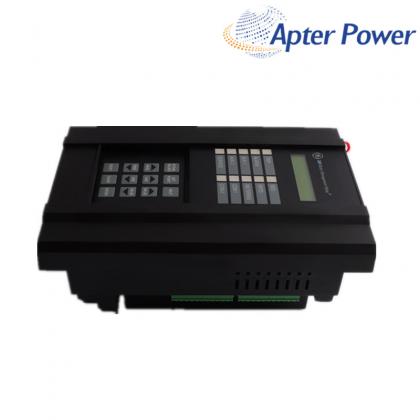
The catalog number matters. The 2711-K5A10 is a PanelView Standard 550 keypad terminal with a 5.5-inch monochrome display and DeviceNet communication. Its published memory configuration is 240 KB nonvolatile memory and 170 KB RAM, and the cataloged terminal includes an RS-232 printer connection. Similar-looking 550 terminals can use a different operator interface, network, or power configuration, so visual similarity alone is not an adequate purchasing check.
Verify field wiring, protective devices, terminal connections, and the voltage shown on the nameplate before replacing the HMI. If the terminal powers up, record the displayed status, firmware revision, and any fault message before cycling power.
Check the COMM indication, DeviceNet cable and connector, network power, data rate, terminal node address, controller operating mode, and controller address. A healthy display with no data can indicate a network or configuration fault rather than a failed terminal.
A purchase request should contain more than the base family name “PanelView 550.” Record the full catalog number, Series, Revision, firmware revision, operator type, communication type, power data, and installed application. The 2711-K5A10 is the DeviceNet keypad configuration. A suffix such as L1 identifies a DC-powered catalog variant, while touch or keypad-and-touch products use different catalog numbers. Those differences can affect wiring, the panel opening, operator behavior, and application transfer.
The safest replacement is a unit whose catalog and electrical configuration match the installed terminal. Series and firmware should also be reviewed against the saved application and site standards. If an exact unit is not available, compatibility must be assessed as an engineering change rather than treated as a simple like-for-like swap.
The replacement hardware is only one part of the recovery. Locate the current PanelBuilder32 application, confirm the latest approved backup, and record the DeviceNet node address and data rate. If the failed terminal is still accessible, upload and archive its application before removal. Keep the controller program, scan-list information, alarm text, and machine-specific operating notes with the recovery package.
A backup is useful only after it has been identified and tested. Use clear filenames, record the machine and line, note the terminal catalog and firmware, and retain a read-only master copy. This prevents an older or unrelated application from being loaded during an urgent restart.
| Check | Why it reduces risk |
|---|---|
| Catalog, Series, firmware, power and DeviceNet interface | Prevents a visually similar but electrically or functionally different terminal from reaching the machine. |
| Application download and startup | Confirms that the file opens, transfers, and starts on the selected hardware. |
| DeviceNet node and data rate | Avoids duplicate-node and baud-rate faults after installation. |
| Keys, display, alarms and data exchange | Verifies the operator functions that matter before production is stopped. |
| Rollback unit and original application | Provides a controlled recovery path if commissioning does not pass. |
A modern terminal can be a sound long-term plan, but it changes the scope of work. The published migration option for a PanelView Standard 550 DeviceNet unit uses a touch interface and Ethernet communication, not the original keypad and DeviceNet arrangement. The PanelView 550 family also uses a 256 × 128 display and a 144 × 243 mm panel cutout, so screen conversion, communication architecture, panel work, validation, and operator training must be planned.
For an emergency recovery, separate the immediate objective—restoring the existing machine—from the modernization objective. This prevents a rushed migration from expanding a short outage into a controls redesign without the required engineering time.
Sales manager: Jim Pei
Email: sales1@apterpower.com
Wechat: ZXH18020776782
Phone/WhatsApp: +86 18020776782

SALES SUPPORT
32D floor,Guomao building,Hubin South Road,Siming District,Xiamen,Fujian,China.


Apter Power sells new and surplus products and develops channels for purchasing such products. This website has not been approved or recognized by any of the listed manufacturers or trademarks.
Apter Power is not an authorized distributor, dealer, or representative of the products displayed on this website. All product names, trademarks, brands, and logos used on this website are the property of their respective owners. The description, explanation, or sale of products with these names, trademarks, brands, and logos is for identification purposes only and is not intended to indicate any association with or authorization from any rights holder.